
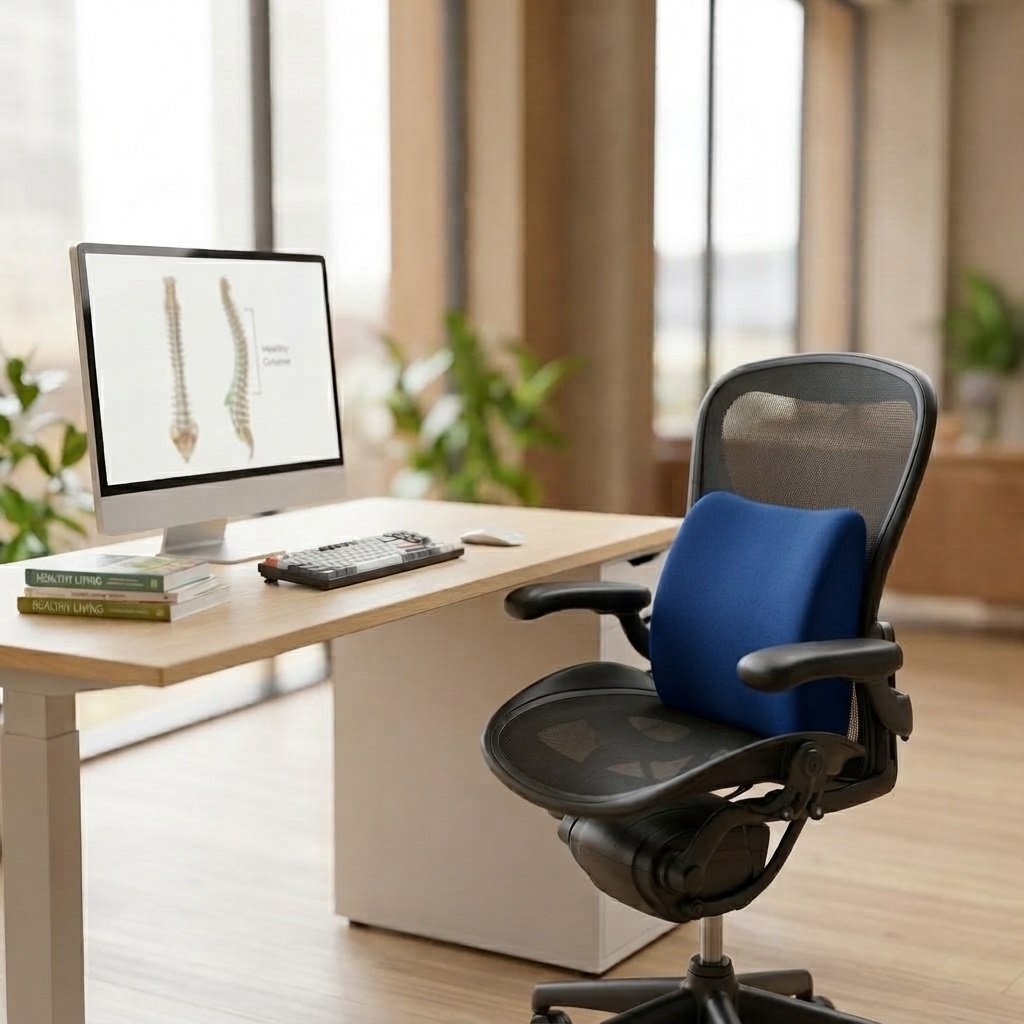
Is your office chair slowly wrecking your spine? If you spend eight (or more) hours a day hunched over a laptop, the answer is probably yes. Most of us don’t think about our spine until it starts talking back. A dull ache between the shoulder blades, a stiff lower back when we stand up, or that nagging tightness at the base of the neck by 4 p.m. The good news? Spinal misalignment at work isn’t inevitable. With a few conscious adjustments, you can protect your back and actually feel better at the end of the workday than you did at the start.
Why Desk Work is So Hard on Your Spine
The human spine is built to move, curve, and support weight dynamically, not to sit locked in one position for hours. When you slump forward at a desk, your lower back loses its natural inward curve (lordosis), your shoulders round forward, and your head tilts ahead of your body’s center of gravity. This “forward head posture” can add significant extra load to your neck and upper back muscles, compounding over a full workday.
Over months and years, this repeated strain can contribute to chronic back pain, tension headaches, reduced lung capacity, and even nerve compression. The spine essentially adapts to whatever position you hold it in most often, so if that position is a slouch, your spine starts to “remember” the slouch.
Tips to Align Your Spine at Work
1. Set Up Your Workstation Correctly
Your monitor should sit at eye level, roughly an arm’s length away, so you’re not tilting your head up or down. Your keyboard and mouse should allow your elbows to rest at a 90-degree angle. Small adjustments like these reduce the temptation to lean forward or slouch.
2. Sit With Purpose
Keep both feet flat on the floor, knees at roughly hip height, and your back against the chair. Your ears, shoulders, and hips should form a relatively straight vertical line when viewed from the side. If your chair doesn’t naturally support your lower back’s curve, that’s where lumbar support becomes essential.
3. Take Micro-Breaks Every 30 Minutes
Set a timer if you must. Stand up, roll your shoulders back, and stretch your spine in the opposite direction of your seated posture. Even 60 seconds of movement can reset muscle tension before it becomes chronic.
4. Strengthen Your Core
A strong core acts like an internal support system for your spine. Simple daily exercises, planks, bridges, or seated core activation can meaningfully reduce the load your back muscles have to carry during long sitting hours.
5. Use Proper Lumbar Support
This is often the single most effective fix. Most office chairs and car seats are not designed with your specific spinal curve in mind, which leaves your lower back unsupported for hours at a stretch. A dedicated lumbar and spine support accessory fills that gap and encourages your spine to stay in its natural, healthy alignment throughout the day.
The Best Solution: Supreme Spine Aligner
If you’re looking for one upgrade that makes an immediate, noticeable difference, the Supreme Spine Aligner by Diamond Foam is the standout choice. It’s specifically engineered to support proper seating posture and ease the pressure that builds up during prolonged sitting.
Here’s what makes it a smart investment for your back:
- Positively Impacts Posture encourages your spine to hold its natural curve instead of collapsing into a slouch.
- Dedicated Spine Alignment Design targets the lower back specifically, where most desk-related pain originates.
- Advanced Circulatory Support helps ease pressure points that can restrict blood flow during long sitting sessions.
- Diamond Health Shield Technology: built with hygienic, skin-friendly materials for all-day comfort.
- Built for Prolonged Sitting, whether you’re at your office desk or driving, it’s designed to hold up through extended use.
- Universal Fit: an elastic strap lets it attach securely to almost any office chair or car seat.
Whether you’re working from home, commuting long distances, or logging long hours at the office, the Supreme Spine Aligner offers the kind of consistent, targeted support that generic cushions simply can’t match. It’s a small, affordable addition to your workspace that pays off in real comfort and long-term spinal health.
Read More: Back Pain From Sitting All Day? Supreme Spine Aligner Fixes It
Final Thoughts!
Your spine carries the weight of your entire posture, literally and figuratively. Small daily habits, the way you sit, how often you move, and the support you give your lower back, add up to a big difference over time. Combine smart workstation habits with a reliable support tool like the Supreme Spine Aligner, and you’ll give your back the care it deserves every workday.
Frequently Asked Questions
- What is spinal misalignment, and how does it happen at work?
Spinal misalignment occurs when your spine deviates from its natural curve, often due to prolonged poor posture such as slouching at a desk or leaning forward toward a screen for hours at a time.
- Can sitting all day really cause long-term back problems?
Yes. Extended sitting without proper support can weaken core muscles, flatten the spine’s natural lumbar curve, and contribute to chronic back and neck pain over time.
- How often should I take breaks to protect my spine while working?
Most experts recommend standing, stretching, or walking for a minute or two every 30 to 45 minutes to relieve pressure on the spine and reset your posture.
- What should I look for in a good lumbar support product?
Look for a design that supports your lower back’s natural curve, fits securely to your chair, uses breathable and durable materials, and is comfortable enough for all-day use, qualities found in the Supreme Spine Aligner.
- Is the Supreme Spine Aligner suitable for both office chairs and car seats?
Yes. It’s designed with a versatile elastic strap that allows it to fit securely on most office chairs as well as car seats, making it a practical option for both work and travel.